






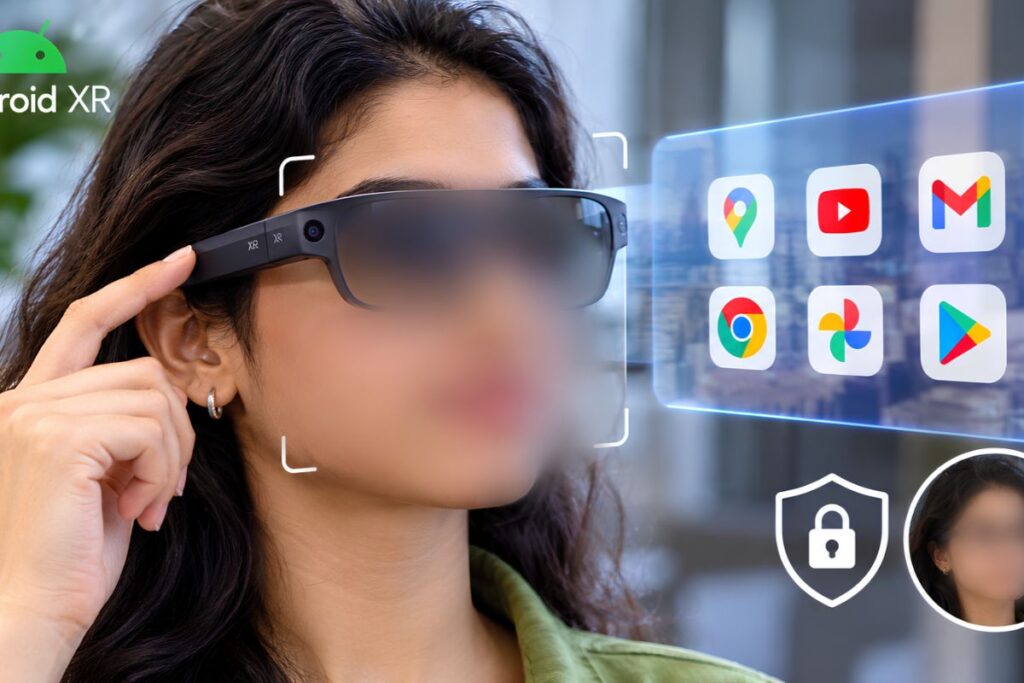
No. Google’s Android XR smart glasses only hide faces inside Google’s own Gemini assistant pipeline on a paired smartphone, not at the camera sensor or operating-system level. Third-party apps using standard Android camera interfaces, as well as apps installed outside Google Play, can access unblurred video feeds from the glasses once granted camera permission.
Where Does Face-Blurring Actually Happen on Android XR Smart Glasses?
Face-blurring on Android XR smart glasses happens locally on the user’s paired smartphone inside the Gemini processing pipeline, not on the glasses’ camera sensor or inside the Android operating system.
When Google announced its privacy commitments in its November 12, 2026 blog post, Privacy protections for intelligent eyewear, the company stated that the frames automatically redact bystanders’ faces before images reach Gemini. According to Google’s Intelligent Eyewear Security and Privacy Commitments and technical clarifications provided at launch, the glasses capture raw frames through their 12-megapixel camera and transmit them over an encrypted connection to the paired phone.
On-device redaction runs on the phone only before Gemini analyzes visual data. Outside that specific Gemini pipeline, the Android operating system applies no blanket blur to the glasses’ video stream.
How Do Third-Party Apps Access Unredacted Camera Feeds via CameraX?
Third-party apps access unredacted video frames from the glasses by requesting a projected hardware context and binding to CameraX, Android’s standard programming interface for camera hardware.
Independent developers build software for the glasses using the Jetpack XR SDK, a set of programming tools Google updated ahead of launch. Under Google’s developer documentation, Request hardware permissions for audio glasses and display glasses, third-party apps request access to the frames’ camera using a runtime permission method called ProjectedActivityCompat.requestPermissions.
Calling that method triggers a permission dialog on the paired phone screen stating that the app is requesting camera access for the glasses rather than the handset. Once a wearer approves the prompt, the app creates a projected hardware context via createProjectedDeviceContext and binds directly to the glasses’ camera through CameraX.
To process live video frames in real time, apps attach the CameraX ImageAnalysis module, a software component that feeds raw camera frames directly into an app’s code, to that projected stream. Per the ImageAnalysis API specification, the system delivers raw, unredacted ImageProxy frame buffers, defaulting to standard YUV_420_888 color planes or RGBA_8888 pixel arrays, directly to the app’s analyzer. No operating-system facial redaction sits between the glasses’ camera stream and the third-party analyzer.
Can Sideloaded Android Apps Bypass Google’s Facial-Recognition Ban?
Yes. Google’s ban on real-time facial recognition is enforced through Google Play Store developer policies rather than an operating-system lock, meaning sideloaded Android apps bypass store review entirely.
Google prohibits developers from building real-time facial recognition or bystander identification tools for Android XR. That restriction appears in Google’s Android XR: App Quality Guidelines and Policies, which bar Play-distributed apps from using wearable camera sensors for facial recognition, biometric identification, surveillance, doxxing, or public live-streaming.
For apps distributed through the Google Play Store, Google enforces those rules through store policy review and developer account penalties. Apps found running facial identification against the glasses’ camera feed risk rejection or removal from Google Play.
Android, however, allows users to install software through sideloading, the process of installing an Android application package (APK) downloaded directly from a website or private enterprise server outside the Google Play Store. Because sideloaded apps do not pass through Google Play Store policy review, Play Store developer rules do not block them at installation. While Google Play Protect scans sideloaded apps on certified Android phones for known malware and unwanted software, the Jetpack XR SDK documents runtime user consent (ProjectedActivityCompat), rather than a Play Store package allowlist, as the gatekeeper for binding CameraX to the glasses.
Why Did Google Scope Face-Blurring to Gemini Instead of the Sensor?
Google scoped face-blurring to Gemini so wearers can capture unblurred personal photos and videos while allowing assistive apps to stream live, unredacted video to human interpreters.
Google and hardware partners Samsung, Warby Parker, and Gentle Monster are scheduled to launch the first Android XR smart glasses, starting at $395 for Warby Parker frames and $449 for Gentle Monster frames, in the United States and South Korea on December 10, 2026. If the hardware blurred every face at the lens, wearers could not record standard photos or videos of friends and family for their personal gallery.
An application-layer filter also supports accessibility software that depends on unblurred visual feeds. In its launch announcement, Google highlighted its collaboration with Aira Explorer, an accessibility service that streams live, unredacted video from the glasses’ camera to trained human visual interpreters who help blind and low-vision users move through unfamiliar spaces. Google’s developer policies explicitly permit third-party wearable camera access for video calls and scene understanding alongside runtime user consent.
What Does This Mean for Bystanders, Developers, and iPhone Users?
Bystanders receive a visual light cue during gallery photo and video capture, but not during live Gemini camera queries, while third-party camera access on paired iPhones remains undocumented in Google’s developer guides.
According to Google’s privacy announcement and Android XR Help Center documentation, the outward-facing LED indicator turns on when the wearer captures a photo or records video for their gallery, with built-in sensors designed to block capture if the light is covered. That indicator light is tied to gallery photo and video capture rather than every live Gemini visual query, even though unredacted frames travel across the encrypted link from the glasses to the paired phone before local Gemini redaction occurs.
A separate boundary applies to cross-platform pairing. While Google states that the glasses pair with compatible iPhones as well as Android devices, the November 10, 2026 Jetpack XR SDK documentation covers CameraX and ImageAnalysis third-party hardware access exclusively for Android host smartphones, leaving third-party camera access and redaction behavior on iOS undocumented in public developer guides.
Frequently Asked Questions
Do Google’s Android XR smart glasses block all apps from seeing bystanders’ faces? No. Automatic face redaction runs locally on the paired smartphone only inside Google’s Gemini pipeline, leaving unblurred camera frames accessible to third-party apps that receive user permission via Android’s CameraX interface.
How is Google’s ban on real-time facial recognition enforced on Android XR? Google enforces the ban through Google Play Store developer policies rather than an operating-system block, meaning apps installed outside the Play Store (sideloaded APKs) bypass Play Store policy review once a user grants runtime camera permission.
Does the recording light on Android XR smart glasses turn on when Gemini uses the camera? No. According to Google’s Android XR Help Center documentation, the outward-facing LED indicator illuminates during gallery photo and video capture, not during every live Gemini visual query, even though unredacted frames travel from the glasses to the phone before local Gemini redaction.
Do third-party apps get the same unredacted CameraX access when Android XR glasses pair with an iPhone? Google’s November 10, 2026 Jetpack XR SDK documentation specifies CameraX and ImageAnalysis camera access only for Android companion phones, leaving third-party camera access and redaction behavior on paired iPhones undocumented in public developer guides.