






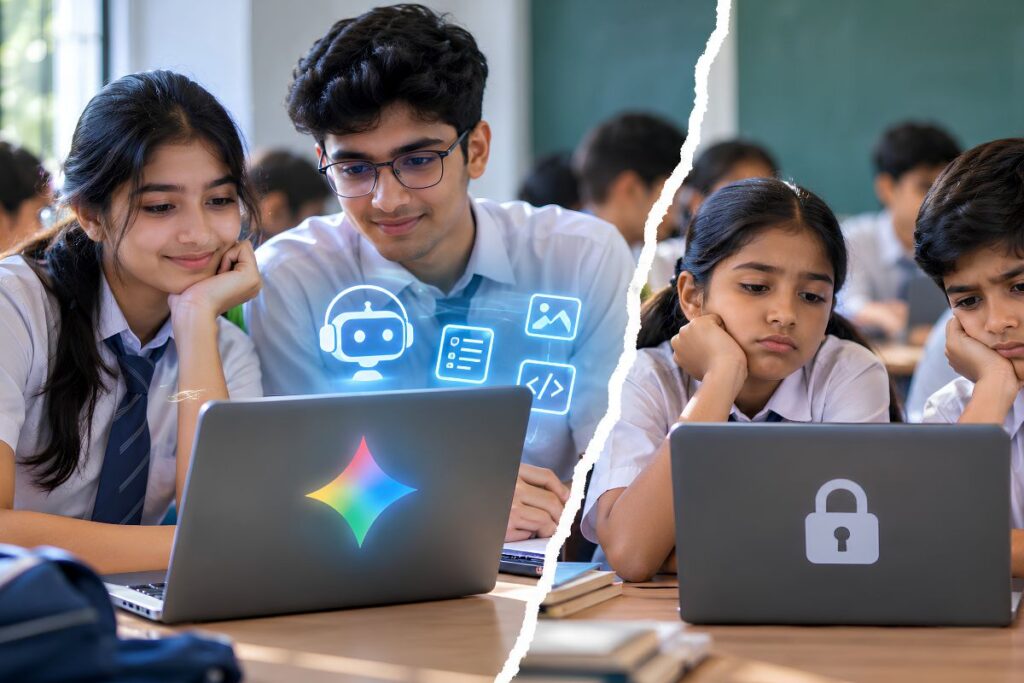
Google blocks web search only on managed school accounts when districts disable generative AI, leaving unmanaged personal profiles untouched. Consequently, the restriction does not apply universally across a school district: it completely cuts off lower-income students who depend on school-loaned Chromebooks at home, while classmates with personal laptops and smartphones retain regular web access.
Where Does Google’s School AI Search Ban Actually Take Effect?
Google’s school AI search ban takes effect inside the administrative software account itself, not at the physical school building’s internet connection. The Google Workspace for Education Admin Console is the centralized cloud management portal that public school technology coordinators use to provision user accounts, enforce web security policies, and configure access permissions across district-issued devices.
When a school district’s administrative staff turns off generative artificial intelligence tools, such as Gemini or AI Overviews, Google’s policy engine revokes standard web search permissions for that specific managed user credential.
Because institutional Chromebooks rely on forced enrollment profiles, the hardware itself enforces this limitation. A student opening a district-provisioned Chromebook must authenticate through their assigned educational account. Guest browsing is routinely disabled by district administrators to comply with device-tracking and local safety requirements.
As a result, the account-level restriction travels home with the machine. Even when the device connects to a home Wi-Fi network, a local library connection, or a cellular hotspot, the machine remains tethered to the managed user policy.
The student cannot sign out, open a private browsing window, or switch to an unmanaged profile to run a basic search query. The hardware enforces the lockout wherever it travels.
How Does the Hardware Lockout Widen the Digital Divide Homework Gap?
The hardware lockout widens the digital divide homework gap because students in poverty lack alternative computing screens to perform basic research after school hours. A Title I school is a federally funded public institution in the United States where low-income children make up at least 40% of overall student enrollment.
Data from the National Center for Education Statistics (NCES) School Pulse Panel confirms that while 1-to-1 device programs distribute laptops broadly across public education, home computing hardware assets remain unevenly distributed across income groups. According to research by the Pew Research Center’s study on digital divide homework challenges, roughly 24% of lower-income teenagers lack access to an independent home computer, compared to only 4% of peers in households earning $75,000 or more.
In households where family incomes fall below federal poverty thresholds, a district-loaned Chromebook is often the only working computer in the home.
When evening assignments require looking up primary historical sources, locating reference materials, or verifying civic facts, these students have no secondary path to the internet. If their school district elects to opt out of generative AI features, their only digital workstation loses the ability to query Google Search.
The cutoff does not stop at the schoolhouse door: it extends across kitchen tables and living rooms, landing directly on students who have no substitute screen.
How Do Students Bypass the Google Workspace for Education AI Toggle?
Students bypass the restriction simply by logging out of school accounts on privately owned hardware, rendering the ban ineffective in affluent households. Bring-Your-Own-Device (BYOD) refers to school network policies that permit pupils to connect their own mobile phones, tablets, or laptops to educational systems.
In suburban classrooms and private academies, student computing looks fundamentally different.
In these settings, Bring-Your-Own-Device (BYOD) patterns and multi-device households are common. Even where districts distribute standardized laptops, students routinely complete evening coursework on privately owned MacBooks, Windows PCs, family tablets, or personal smartphones.
On personal hardware, a student does not need to remain logged into an institutional Google Workspace identity to look up information. They open an unmanaged browser, navigate to a clean search bar, and retrieve sources through standard indexing.
The practical outcome is an operational loophole. In an affluent school district that rejects Google’s AI suite, students experience the search cutoff as a minor classroom parameter during school hours. Once the final bell rings, they bypass the restriction entirely by switching to private hardware.
The policy functions as an absolute blackout only for the child who cannot afford a second device.
What Did National Coverage Miss About Google’s School AI Rules?
National news coverage framed Google’s policy as an ideological conflict between big tech and school boards, ignoring how device ownership patterns dictate the real penalty.
When Google Vice President and General Manager of Education Chris Phillips announced that turning off generative AI would terminate web search on managed education accounts, national reporting focused on classroom curriculum and child safety. Major news organizations tracked objections raised by national teachers’ unions and child-safety organizations. The discussion centered on whether conversational bots degrade student reading comprehension, generate fabricated citations, or harvest minor user data for algorithmic training.
Google representatives defended the decision on instructional grounds. The company argued that search and conversational systems have converged into a unified product. According to Google, its education-specific AI interface, labeled Guided Learning, was designed alongside educators to serve as an interactive tutor rather than an automated homework solver.
Google also noted that enforcing these policies strictly at the account tier is the standard method for meeting federal student privacy statutes, including the Family Educational Rights and Privacy Act (FERPA) and the Children’s Online Privacy Protection Act (COPPA).
Yet that debate assumed the consequences of an opt-out would be felt equally across the student body. By framing the dispute as a negotiation between institutional buyers and a dominant software vendor, the public conversation missed the hardware dependency that dictates where the penalty actually lands.
Why Does the Search Ban Put Low-Income School Boards in an Administrative Impasse?
The search ban traps lower-income school boards in an administrative impasse because federal accountability rules penalize them for homework disparities that occur when students lose basic web access.
Under state and federal accountability standards managed under Title I of the Elementary and Secondary Education Act, district superintendents are evaluated on their ability to close academic achievement gaps between economic groups. Removing web search capabilities from students who rely solely on school hardware directly suppresses evening homework completion rates and research project scores.
If an urban school board determines that generative AI tools pose documented pedagogical risks, such as plagiarism or algorithmic error, it cannot register that objection without stripping its most vulnerable students of basic reference utilities.
Wealthier districts can decline the software update knowing their student population possesses the private capital to work around the absence of managed search. High-poverty districts possess no such cushion.
Administrators are left with two conflicting options: accept generative AI modules despite pedagogical reservations, or reject them and watch their district-issued hardware lose standard web retrieval tools. The design of the software rollout forces the decision.
Frequently Asked Questions
Does Google’s school AI search ban disable Google Search across the entire school building?
No. The restriction does not filter internet connections at the network router level; it strictly revokes search capabilities on managed Google Workspace for Education user accounts when administrators disable generative AI features.
Can students on managed Chromebooks bypass the search block at home?
No. Because district-managed Chromebooks enforce forced enrollment profiles with guest browsing disabled, the Google Workspace account policy remains locked to the physical hardware even over home Wi-Fi networks.
Why does this policy penalize lower-income students more than higher-income peers?
Higher-income students complete evening assignments on personal laptops, family tablets, and smartphones where they are not logged into an institutional account. According to Pew Research Center data, nearly a quarter of low-income teens have no secondary computer at home, leaving them completely cut off from search if their district opts out of AI.
What is Guided Learning in Google Search?
Guided Learning is Google’s education-oriented AI interface for school accounts, built to present step-by-step problem-solving prompts rather than generating immediate answers for homework assignments